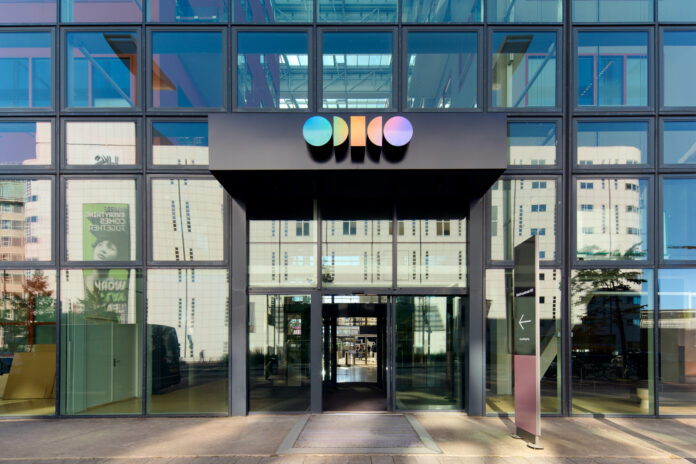
After the recent security breach at Odido, many customers have been impacted. The breach involved personal information from a customer contact system. However, the company stated that passwords, call logs, and billing details were not accessed during the incident. After discovering the breach, Odido blocked the unauthorised access as quickly as possible. The company has hired external cybersecurity experts to help implement additional security measures. It has also reported the incident to the Dutch Data Protection Authority (Autoriteit Persoonsgegevens, AP).
Affected customers have been notified directly via email or text message. The company warns these customers to be extra vigilant against suspicious activity. While a data breach does not always lead to identity theft, there is a risk that the stolen information could be misused.
Safety measures
Criminals may use names, addresses, phone numbers, and bank details to impersonate Odido staff or bank employees. Odido advises customers to be cautious of unexpected calls, emails, or messages. Users should check the sender’s email address for irregularities and avoid clicking on suspicious links. The company reminded customers that employees will never ask for a password or PIN. If a customer receives an unexpected call from someone claiming to be a company representative, they should ask for the caller’s name, hang up, and call the company back using an official number from its website.
The specific data involved varies by customer but may include full names, addresses, mobile numbers, and bank account numbers. In some cases, date of birth and identification document numbers were also compromised. Odido confirms that scans of identity documents and location data were not involved. A dedicated English-language information page has been set up to provide updates.
Free security package F Secure
Odido is offering a free extra security package for its customers. They can activate the F‑Secure digital security package for free for 24 months. It provides phones, tablets, and computers with extra protection against viruses, phishing, and other online threats. Customers activate the package using a voucher. F-Secure Total is a comprehensive digital security package that helps users stay safer online. With one app, you can protect up to 5 devices: Windows PCs, Macs, Android phones, iPhones, and tablets. You can access the F-Secure package here.
All Odido and Ben customers are entitled to the free security package. Customers who have a mobile phone number from Odido or Ben can text ‘VOUCHER’ to 1935, and they will receive a voucher code.
Customers who do not have a mobile number from the providers, but for example an internet service such as Klik&Klaar or an internet or TV subscription, can call the automated service number 0614094035. They will also be sent a voucher code.
The package includes:
- antivirus software
- automatic scan of websites and links via SMS
- phishing detection
- password manager
- data breach notifications
Additional tips
Be extra alert for suspicious and unusual activities. Unfortunately, cyberattacks like this are becoming increasingly common, and no organisation is immune. Not every data breach leads to actual misuse, but we cannot rule out the possibility that your data may be misused.
Below are concrete situations Odido warns you about:
- With your name, address, phone number, email address and bank account number, cybercriminals may try to contact you while pretending to be someone from Odido, your bank, or another organisation. Therefore, always remain alert to these kinds of phone calls, text messages, app messages, or emails.
- Be careful when opening links in emails, text messages, and app messages. You can often recognise a suspicious email, text message, or app message by typos and unknown senders. Check the phone number, or the part that appears after the “@” sign in an email address.
- Do you receive an unexpected call from a number you don’t know? It may indeed be an employee of your bank or another company calling. You can verify this by asking the caller for their first and last name and asking for the company’s general phone number. If in doubt, say you would like to verify the person’s employment status first and hang up. Then check the company’s website to see if the number is correct. Is the number correct? Then call the company yourself and ask for the employee who called you.
- Never give anyone your password or PIN code.
- Always be alert when receiving invoices. Cybercriminals may exploit the situation by sending fake invoices that appear to come from Odido or other parties. Therefore, always carefully check the origin and accuracy of received invoices before proceeding with payment. For example, you can always view an Odido invoice in your Mijn Odido environment. If you are in doubt, always contact us.
NEWS BRAINPORT